

Find a record and open its card
1
Open the search panel
Click the search box, or press ⌘ K. With nothing typed, the panel shows your recent searches and the records you opened recently.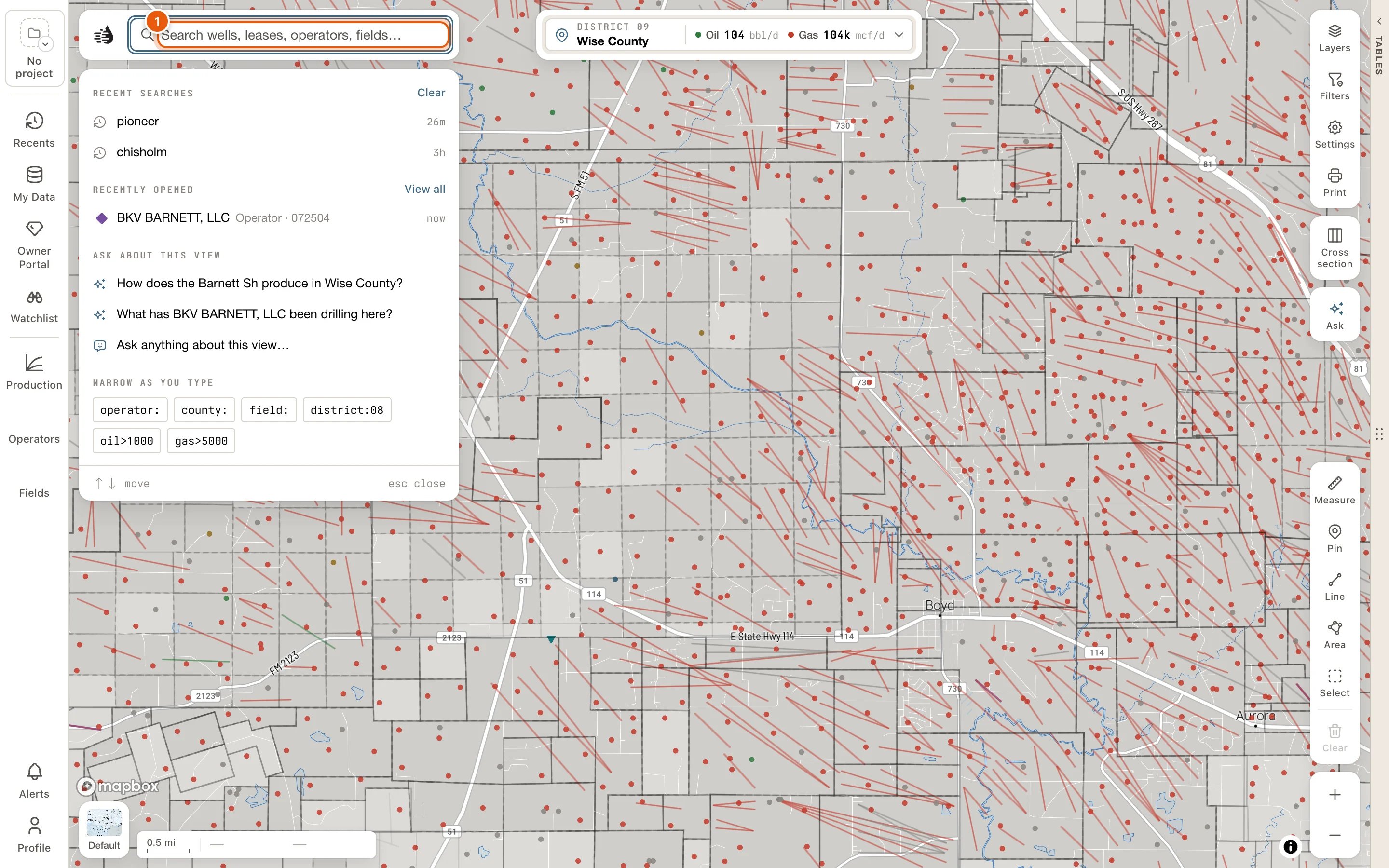
2
Type part of the name
Three letters are enough, for example kiker. The panel lists the matching LEASES, WELLS, FIELDS and OPERATORS, nearest your view first.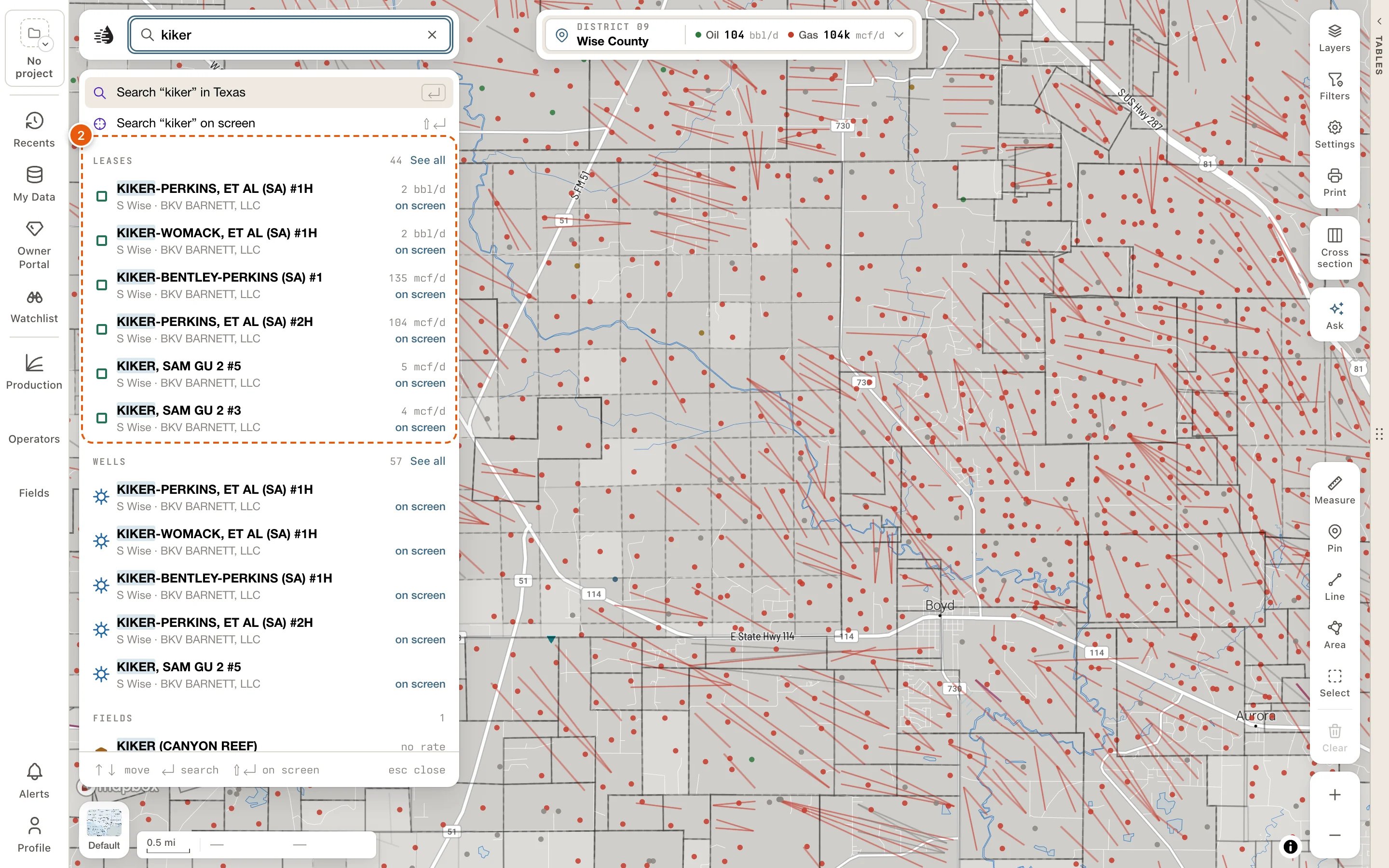
3
Check it on the map
Hover a row, or move to it with ↓. The map lights that record in amber without moving, so you can tell which one you want.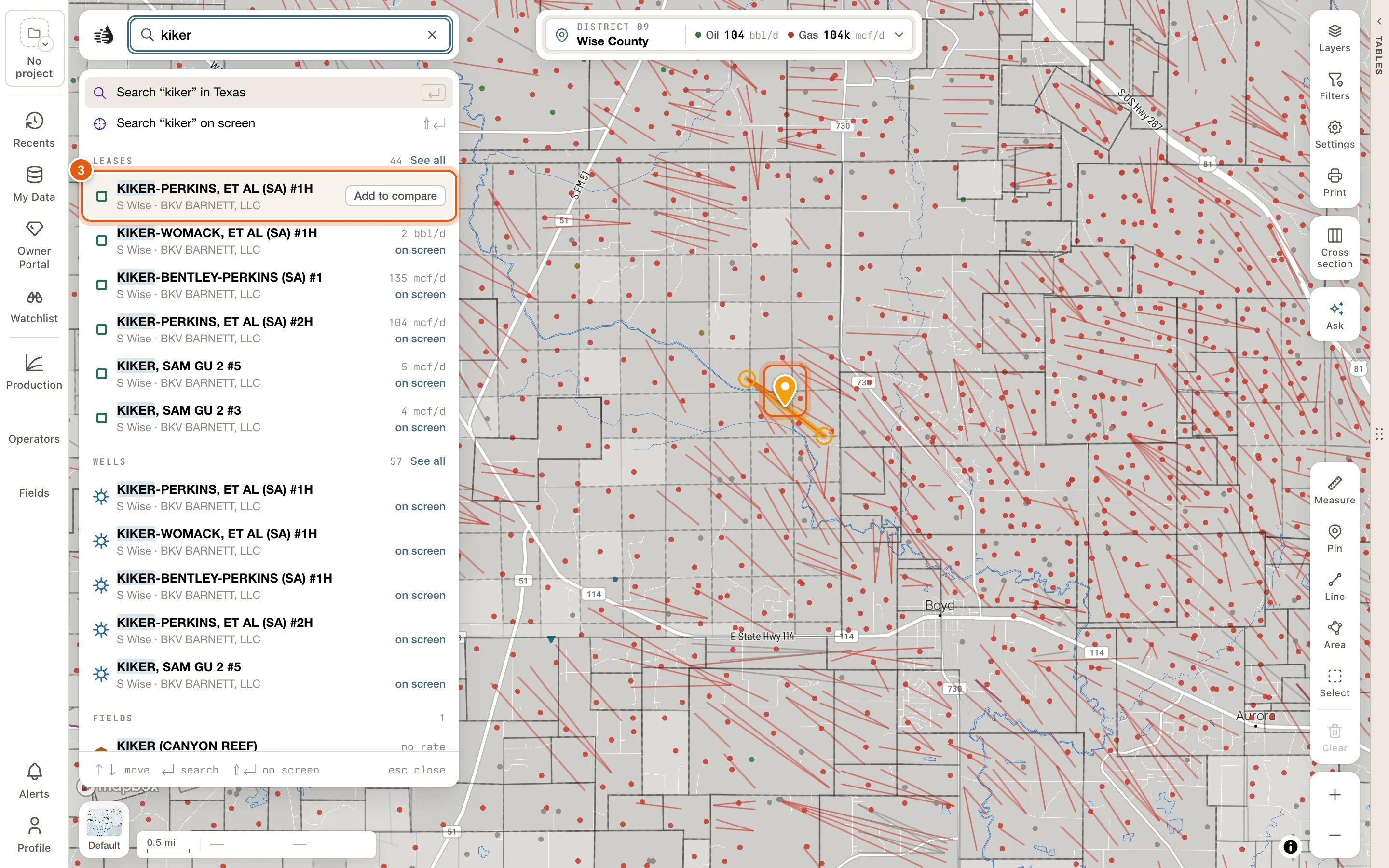
4
Open its card
Click the row, or press Enter once you’ve moved to it with ↓. The record opens as its card. Esc closes the card.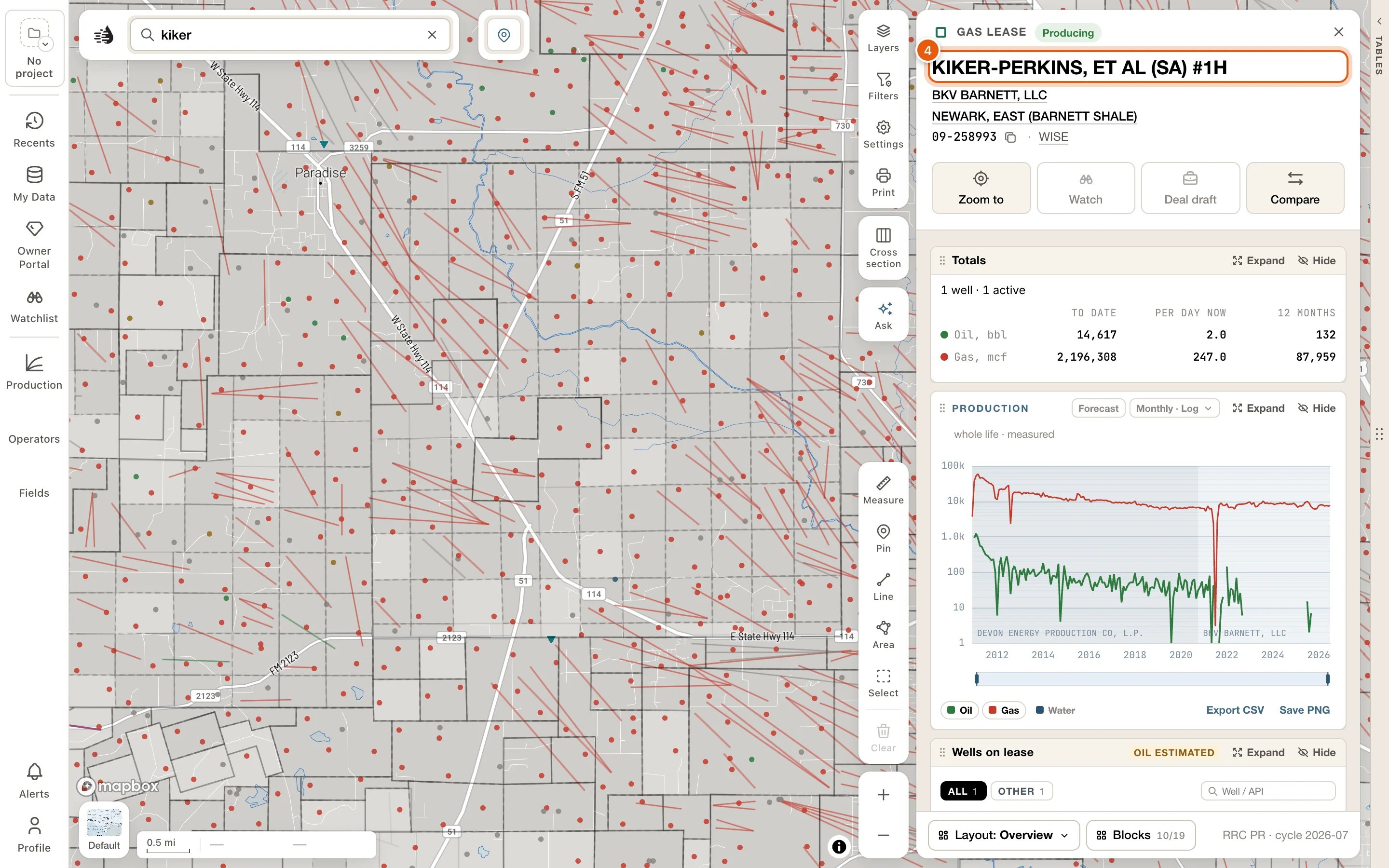
Search by name
Type at least three letters. The panel lists:- First, a lit row: Search “‹text›” in Texas. Press Enter to run it. The results open in the data tables; see Search results.
- Search “‹text›” on screen: the same search, limited to the part of the map you can see. See Statewide or on screen.
- Four groups, always in this order: LEASES, WELLS, FIELDS and OPERATORS. Each shows how many match (none when nothing does). The four share twelve rows; when a group has more than it shows, See all runs the search and opens on that group’s list.
- Ask about “‹text›”, to put the question to the map assistant.
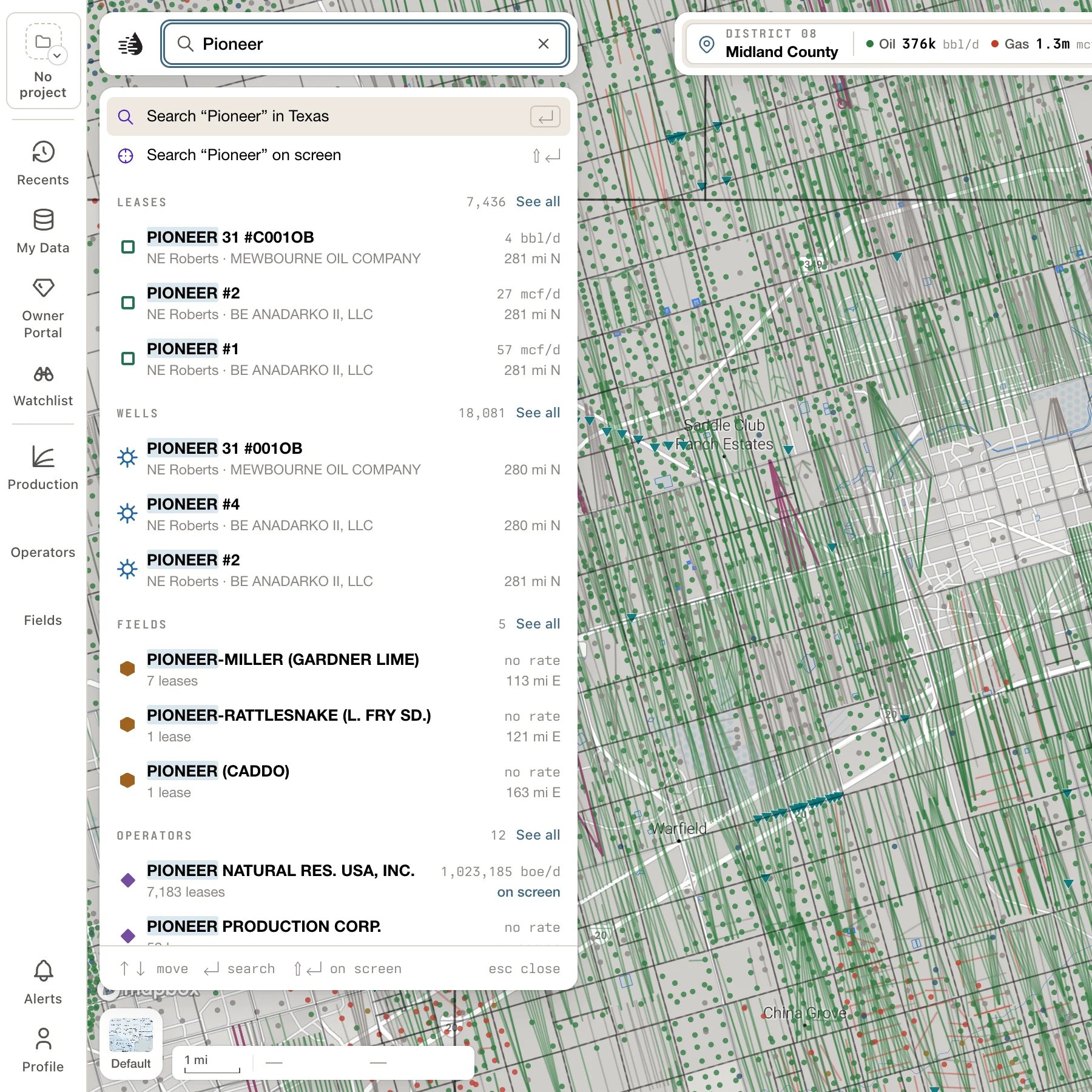
- LEASES: the name; then where it is and who operates it (NE Schleicher · QUESTA OIL & GAS CO.), or why it matched when that isn’t its name (Field · Iron Bridge). On the right, what it makes today (4 bbl/d, 27 mcf/d, no rate) and how far it is from your view (on screen, 5 mi SW).
- WELLS: where the well is and its operator, rather than its API. A well you’ve corrected or added in My Wells says Yours.
- FIELDS and OPERATORS: how many leases they have, what those make today in boe/d, and how far their nearest lease is.
To add a record to compare with the mouse, hover its row and click Add to compare at the right end. The row then shows In compare, and the same spot reads Remove from compare.
Messages you may see:
- Three letters or more to search.
- No leases or wells match. Try fewer letters, or check the spelling.
- Downloading the wells — 42%. ↵ searches them now. The WELLS group fills in once the wells have downloaded to this device. Press Enter to search them anyway.
Statewide or on screen
A search looks at all of Texas. The panel lists what’s near your view first, and each row says how far away it is. To search only the part of the map you can see, choose Search “‹text›” on screen, or press ⇧ Enter on the search row. The area is fixed when you choose it, so moving the map afterwards doesn’t change it. On the Search tab it shows as a Map area chip. Click the chip’s × to search all of Texas again. The Search tab’s heading switches between the two as well. It reads Searching Statewide: click Statewide to search the map area, and click the map area to go back. To search a county, a circle around the map’s center, or an area you draw, use the Search tab’s Filters.Search by number
Type a number and QuickScout lists what it could be under INTERPRET AS:
A plain number is never read as a lease number; include the district. When an oil lease and a gas lease in that district share the number, both are listed. Pick a row, or press Enter to take the first one.
- An API opens that well’s card.
- An operator, field or lease number opens a Record tab in the data tables, listing every well of that operator, field or lease. The map shows only those wells while you’re on the tab. Your own tabs and their filters aren’t touched; Close on the tab’s band brings them back. See The Record tab.
Search in plain words
Type a sentence, like wells in the cisco field, and INTERPRET AS lists the ways QuickScout can read it: the search terms each becomes, and how many wells or leases match. The best reading comes first; Enter runs it. A note says when part of the sentence was ignored or isn’t supported yet. For example, wells spudded since 2024 gets can’t do “spudded since” yet — dates can’t be searched yet.Search terms
Type these yourself, or click one under NARROW AS YOU TYPE on the empty panel:
A term QuickScout doesn’t know is searched as plain text.
While a search is on
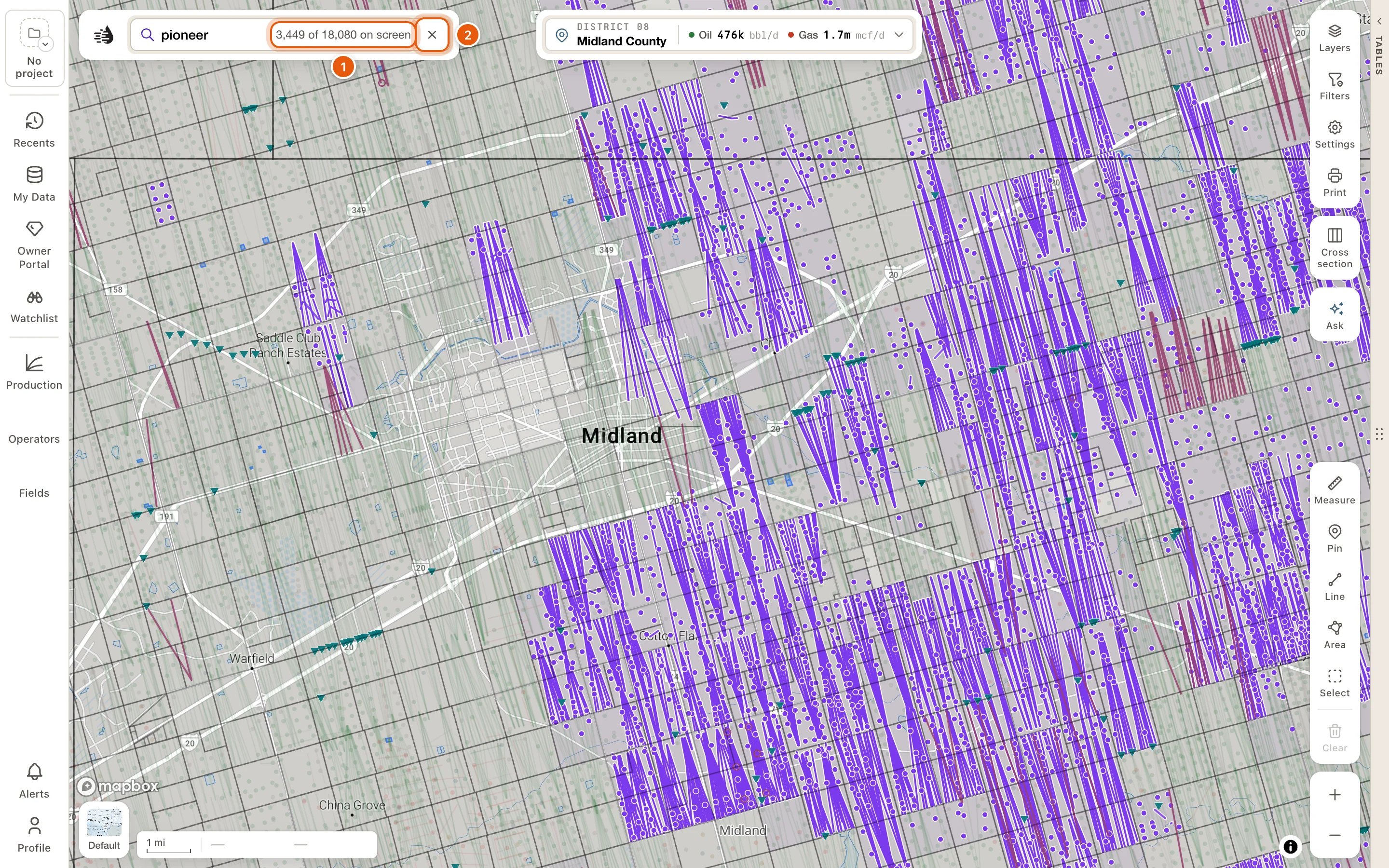
A search you’ve run stays on the map until you clear it.- In the search box: your words, then how many of the search’s wells are in view, such as 57 of 829 on screen (or all 12 on screen, none of 829 on screen). Click that count to open the results.
- On the map: the other wells dim, and the matching wells are drawn in violet under their usual symbols. Zoomed out below zoom 10, the matches show as violet survey tracts instead; click one to zoom in on it.
- To end the search, click the × at the end of the search box (Clear this search from the map).
The Search tab
Running a search opens the data tables on a Search tab, named after your words, such as “pioneer”. It lists every lease, well, field and operator your words found, and marks the best match. From there you can drill into an operator or field, filter, sort, and show only the matches on the map. See Search results. The Search tab has its own filters, so your Wells and Leases filters stay as they were. Clearing the search removes the tab, and it isn’t kept for your next visit.Recents
Click the empty search box to see your RECENT SEARCHES and RECENTLY OPENED records, four of each. Click a record to open its card again. Counties you opened are listed too, and open the county’s card.- Clear empties the recent searches. They’re kept on this device.
- View all opens Recents, which is also on the left rail and needs a paid plan. RECENTLY OPENED follows your account to every project and device, and includes cards you stayed on for a moment.