Open Map data
- Click the stamp at the right end of the data tables’ footer. It shows the date of the data the table is reading. A dot on it means something needs attention.
- Or open Settings (the gear on the right side of the map) and click Map data… under SUPPORT.
- Or click Map data… in a search’s waiting note.
One sentence, two buttons
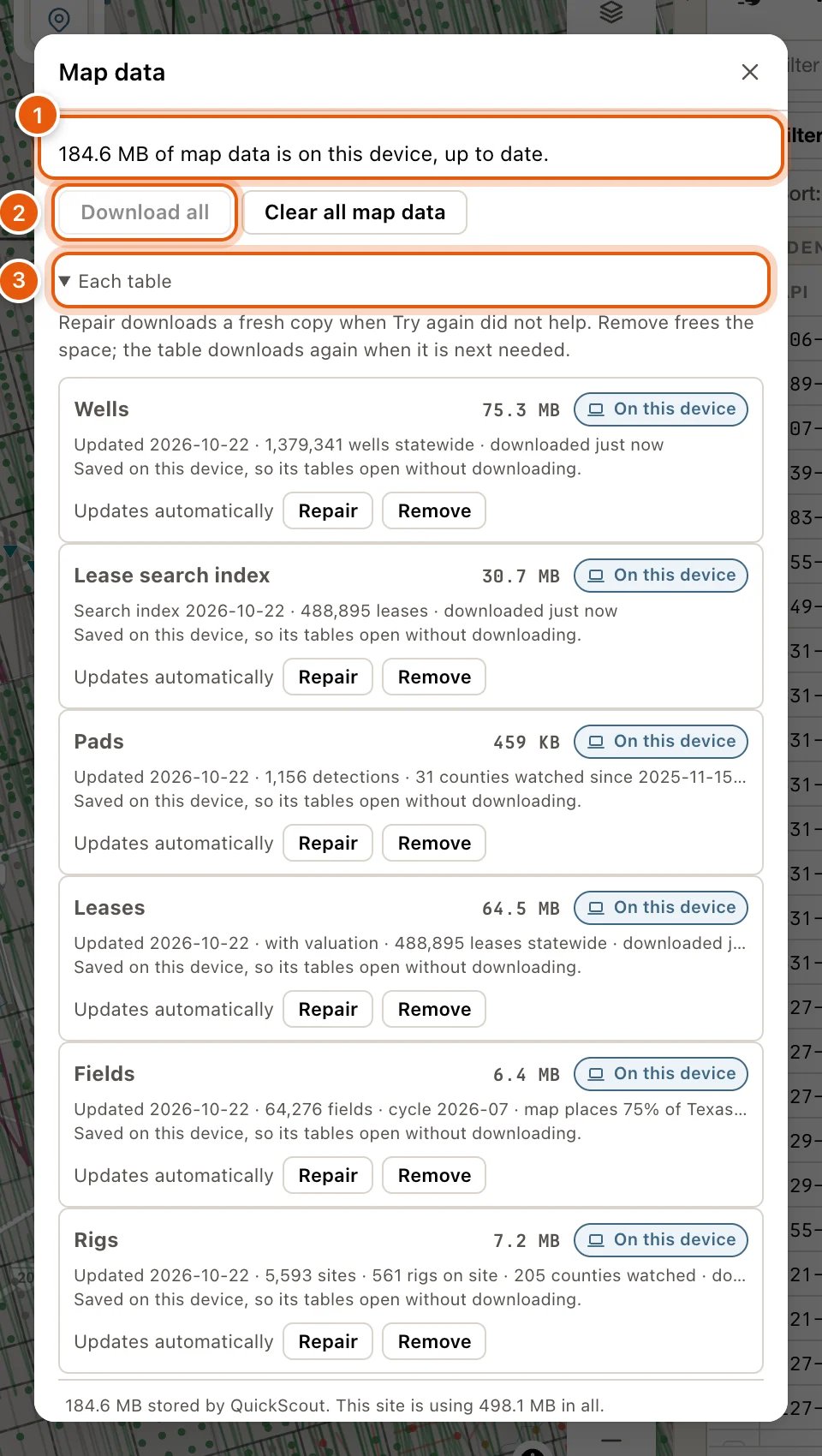
Map data opens on one sentence that says what’s on this device, or what’s in the way. For example:- 1.2 GB of map data is on this device, up to date.
- 1.2 GB of map data is on this device; 2 of 8 tables are not downloaded yet.
- 1.2 GB of map data is on this device; 1 table has an update.
- Downloading wells 42%.
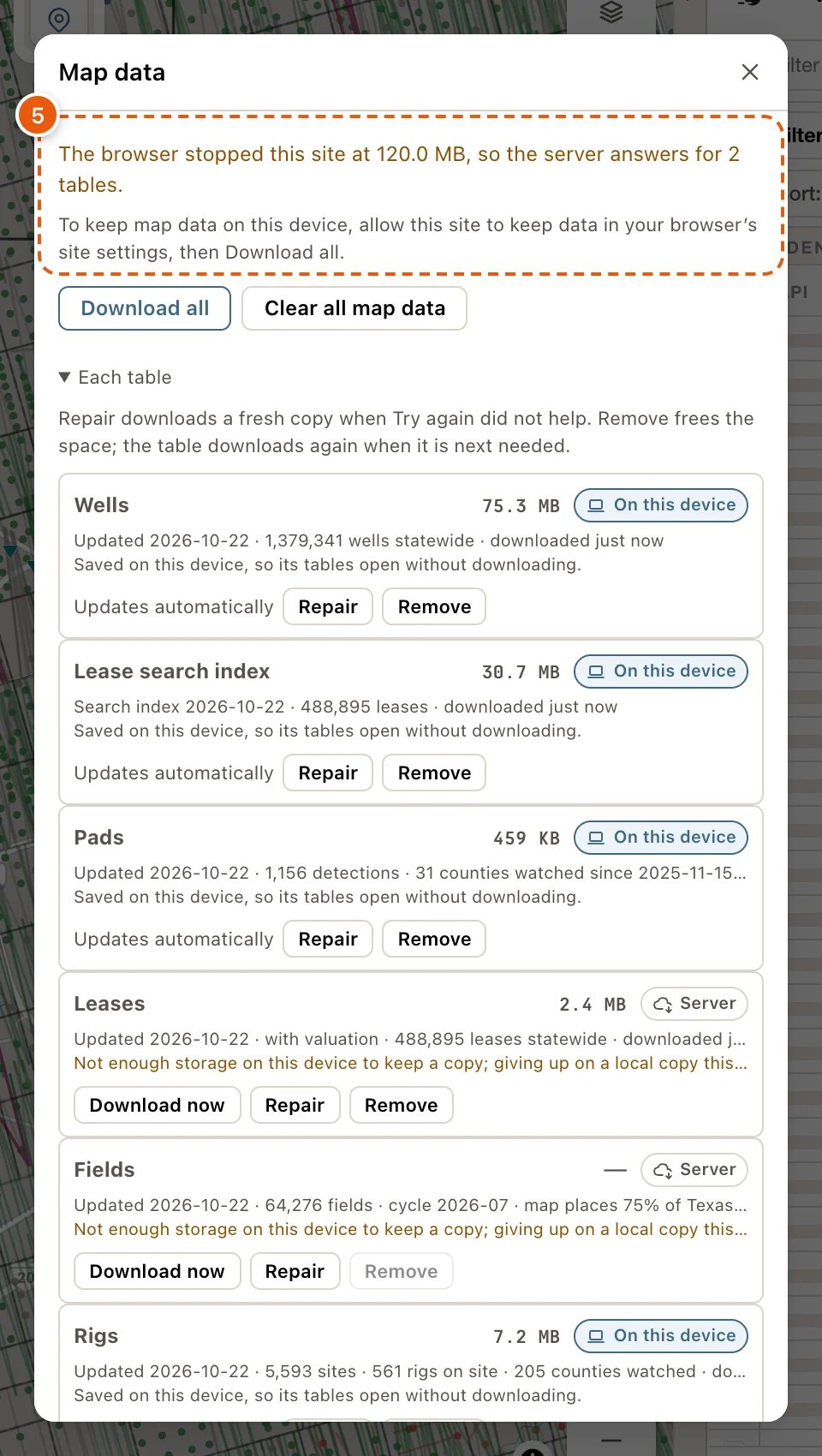
- The browser stopped this site at 300 MB, so the server answers for 3 tables.
- No room on this device, so 2 tables are kept for this visit only.
Each table
Click Each table for a row per table, such as Lease search index, Leases, Fields and Wells, plus Pads and Rigs once you’ve used them. The Operators table is built from the Leases copy, so it has no row of its own. P-4 and Frac aren’t downloaded at all: the QuickScout server answers them whenever you open them, so they have no row either. Each row shows the table’s name, how much space it takes, and a chip saying where it stands. Two lines under it say what the copy is and the latest thing that happened to it. Then its main button:- Stop while it downloads. The next download carries on from where it stopped.
- Try again after a failure.
- Download now, or Update now when newer data is out. If Download now is greyed out, open that table once first.
- No button, just Updates automatically, when the copy is current.
Repair and Remove
Beside the main button, every row has two more:- Repair throws the copy away and downloads a fresh one. Use it when Try again didn’t help.
- Remove frees that table’s space on this device. It downloads again when it’s next needed.
What the chips mean
While a table downloads, its own footer says so, with Stop. While the server answers, it reads like Answered by the server while a copy of the wells is saved to this device · 42%: the rows are real, and nothing needs doing. Without the server, it reads like Saving a copy to this device · 42% — rows appear when it finishes. Some tables show the first rows of the file meanwhile, unsorted and unfiltered; your sort and filters apply once the download finishes.
Slow connections
On a slow connection, or one set to save data, tables don’t download in the background. Each one downloads when you first open it, while the server answers for it, and its row says why. On a slow connection, some tables also wait for the search index to finish, then start by themselves. Download now still works whenever you want a table sooner.When the browser limits this site
Some browsers cap how much one website may keep. When QuickScout reaches that cap, Map data says so, for example The browser stopped this site at 300 MB, so 3 tables are kept for this visit only., and the rows read Site limit, This visit only or Server. The tables still work: the server answers for them, or they download again on every visit. To keep map data on this device:- In your browser’s settings for this site, allow it to keep data on your device. The dialog says the same: To keep map data on this device, allow this site to keep data in your browser’s site settings, then Download all.
- Click Download all.
- When this device is simply full, the sentence reads No room on this device…. Free some space, then click Download all.
- A private window, and some browsers, can’t keep map data. Map data says so: the server answers for those tables, or they load for that visit only and download again next time.
- Each browser keeps its own copy, so each computer downloads its own.
Answer from the server instead
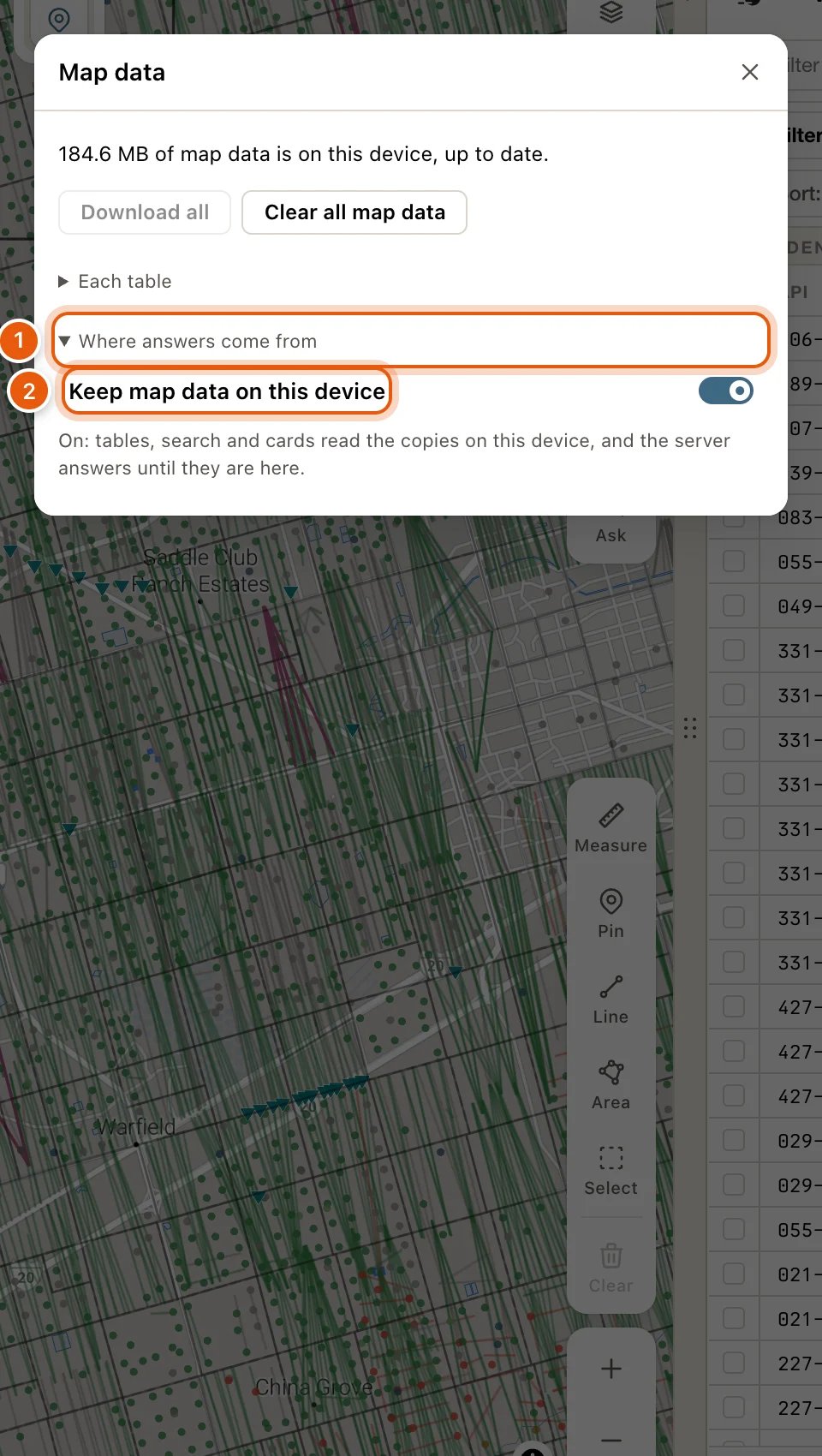
If your browser won’t keep the files, or you’d rather QuickScout kept nothing on your computer, have the QuickScout server answer everything:- Open Map data and click Where answers come from, at the bottom.
- Switch off Keep map data on this device.
- The dialog asks first, because what’s kept here is deleted. Click Answer from the server, or Keep map data here to leave things as they are.
Fix stuck or missing map data
1
Open Map data
Click the stamp at the right end of the data tables’ footer. Or open Settings and click Map data… under SUPPORT.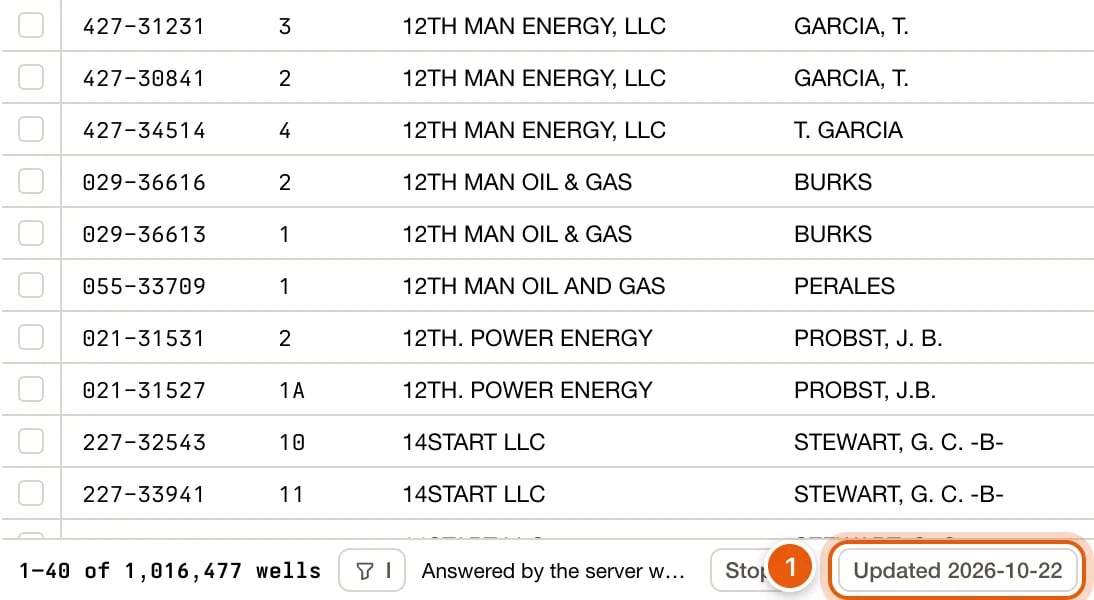
2
Click the first button
Read the sentence at the top, then click the first button: Download all, Update all or Try again. Most problems end here.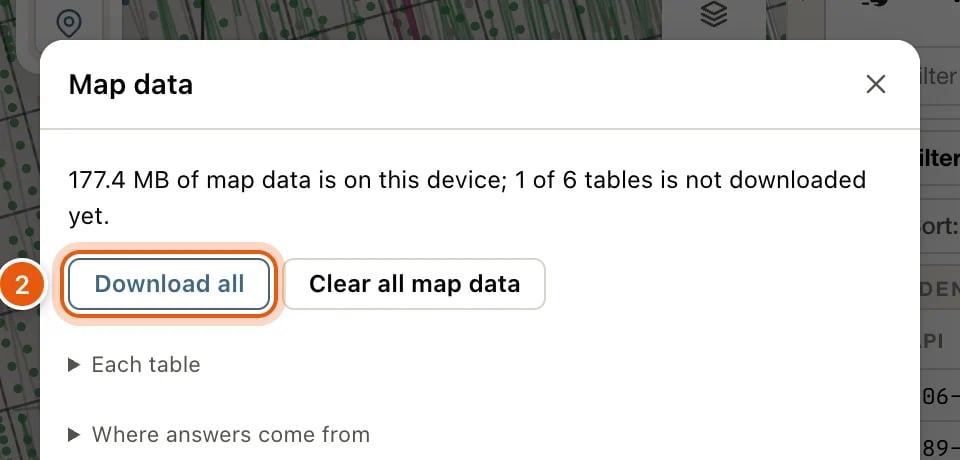
3
Look at the table that's stuck
Click Each table and find the table’s row. Its chip and the two lines under it say what’s wrong. Click its button: Try again, Download now or Update now.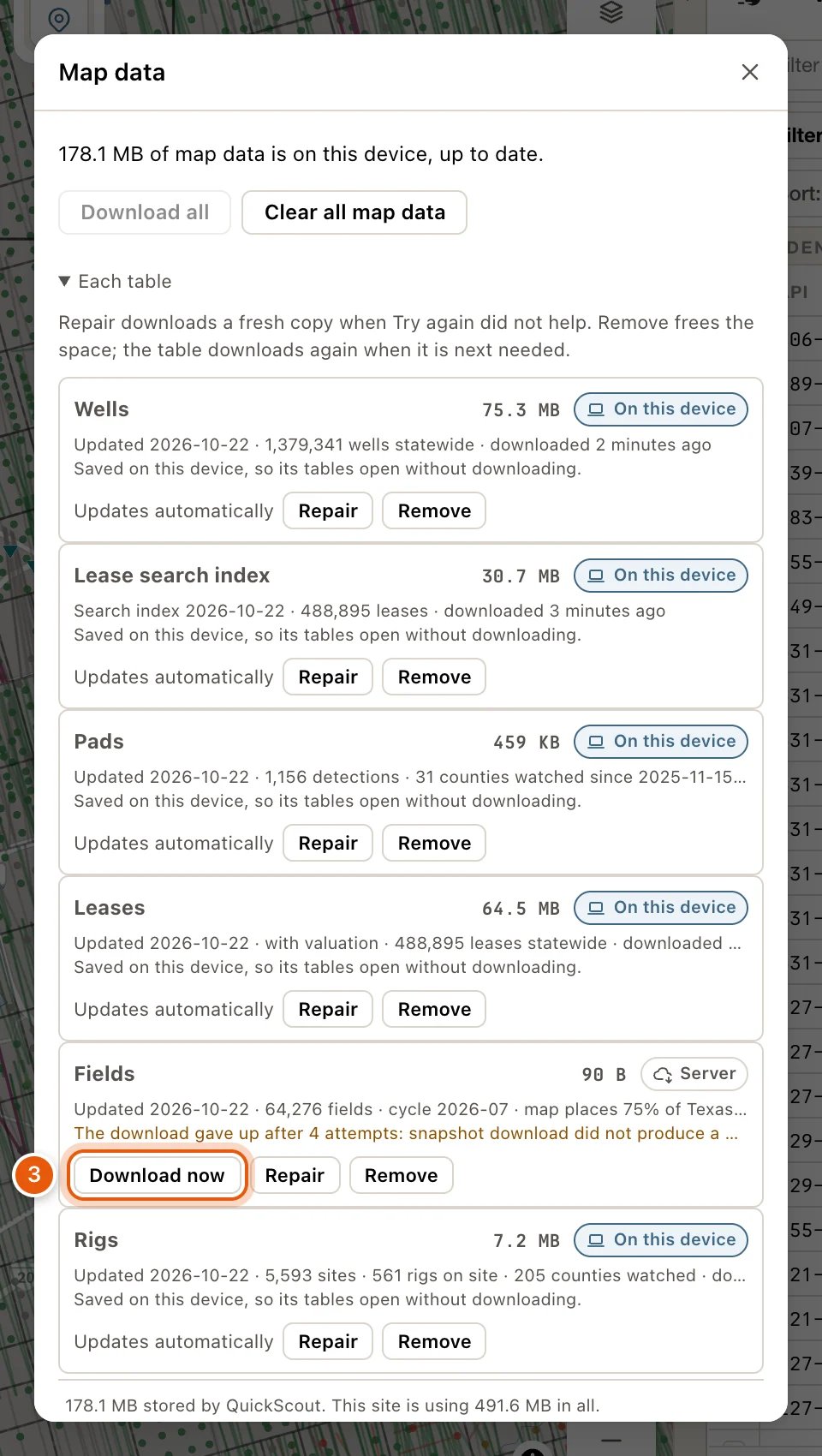
4
Repair it
Still stuck? Click Repair on that row. It throws the copy away and downloads a fresh one.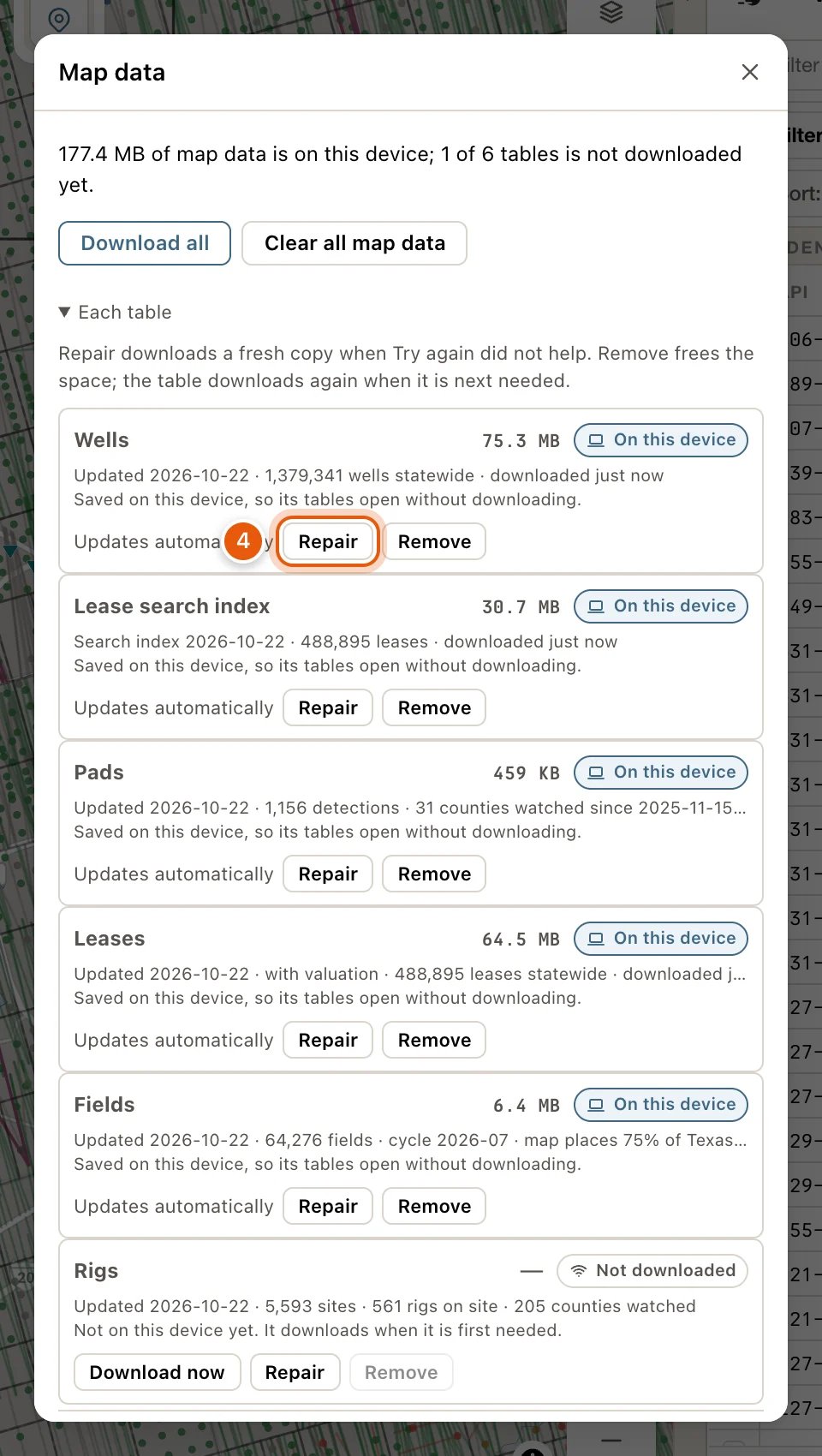
5
Let the browser keep it
If the sentence says the browser stopped this site, allow this site to keep data in your browser’s settings for it, then click Download all. See When the browser limits this site.